Revnex Revnex Get a quote
Live demo

Don’t just read about it. Run a service.

Below is a working copy of the Revnex flow. Tap the tag, order from the phone, watch the order TV, send it out and take the payment, all on this page. Or press “Watch it run” and let it play.

1Tap the tag
2Order on the phone
3Send it out
4Take the payment
Guest phone · Table 4
Order TV updates live
In preparation2Live20:14
Cashier POS · Tables

From overview to every detail

Each screen, built for the person using it.

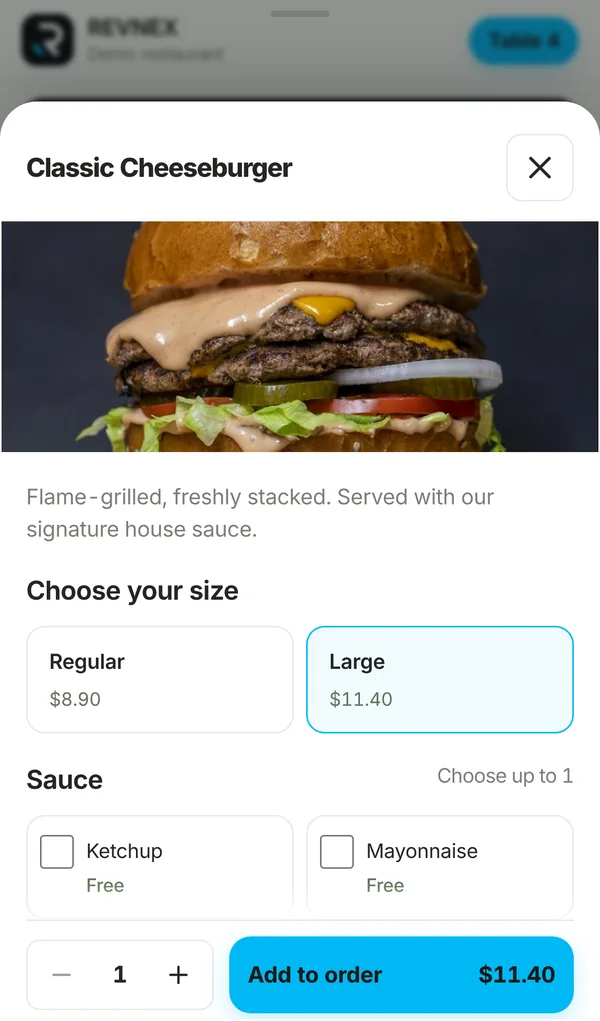
Choosing a size and extras on the phone

Phone menu

Photos, sizes, extras and notes. The cart is kept if the guest closes the page, and they follow their order live.
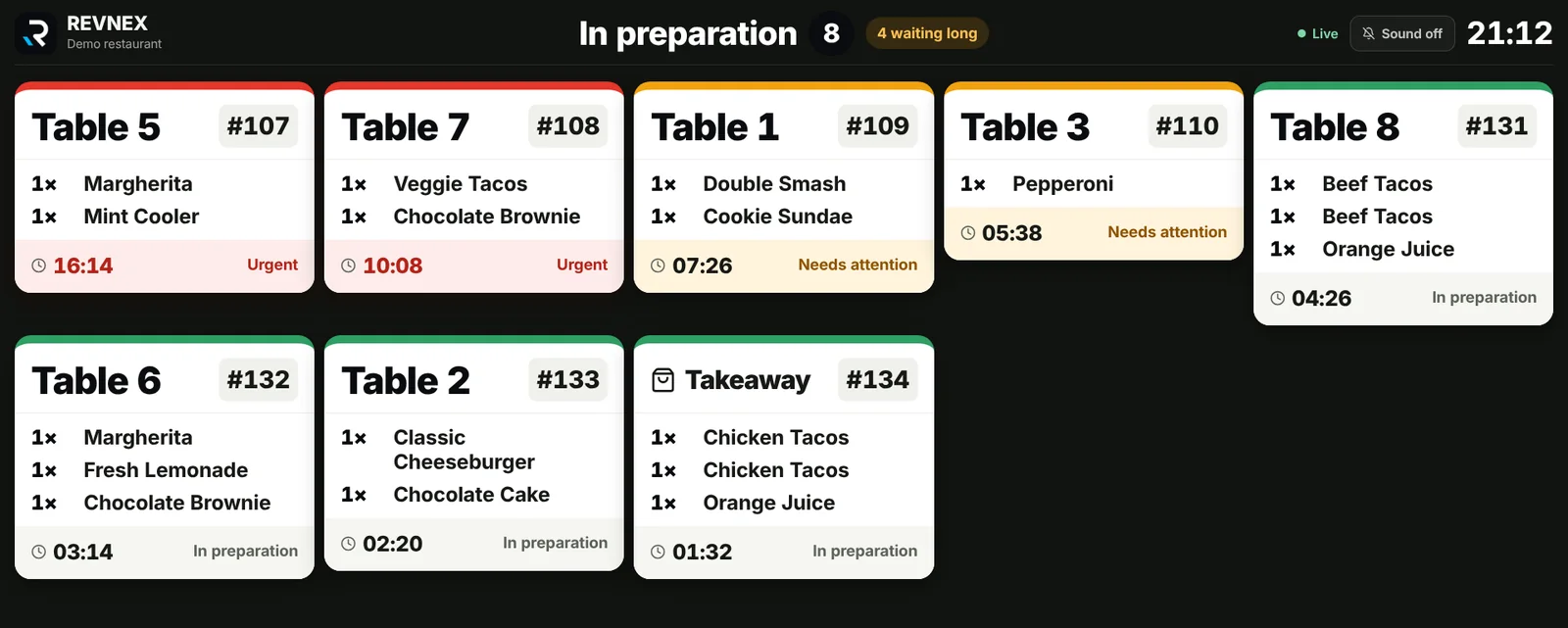
Order TV

Order TV

Oldest order first, a timer on every ticket, colours when an order waits too long, and a chime for new ones.
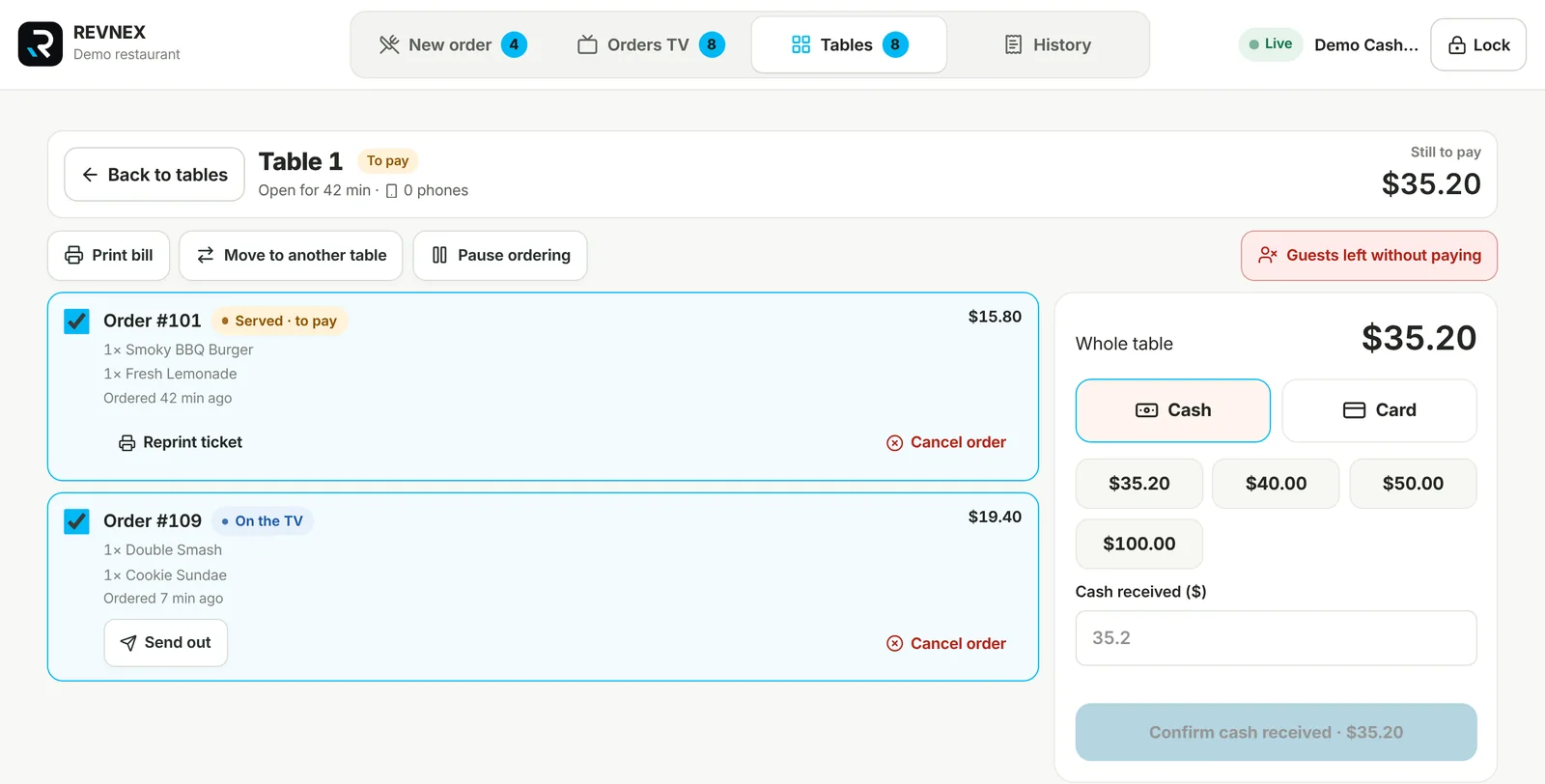
One table on the cashier POS: orders and payment

Tables board

Which tables have a bill, which have guests, which are free. Open a table to send out, cancel, move the bill or take payment.

Revnex · Manager
Manager dashboard

Manager dashboard

Sales and orders by hour, best sellers, the menu with photos, tables and their tags, staff PINs, TVs, printers and receipts.

Real screens from the Revnex system, in a demo restaurant.

Everything included

What the system does today.

For guests

  • Open the menu with one tap or a QR scan
  • Photos, sizes, extras and notes
  • Cart kept for 45 minutes
  • Live order status on the phone
  • See the table bill at any time
  • Works in any phone browser

For the kitchen

  • Orders arrive on the TV instantly
  • Table name or takeaway on each ticket
  • Timer and late-order colours
  • Sound for new orders
  • Readable from across the kitchen, Full HD and 4K
  • TV stays signed in, only the manager can sign it out

For the cashier

  • Takeaway orders on a touch POS
  • Live board: to pay, guests, free
  • Find a bill by the ticket number
  • Cash or card terminal payment
  • Send out, cancel, move a bill to another table
  • Guests left without paying, kept on record

For the manager

  • Menu, categories and product photos
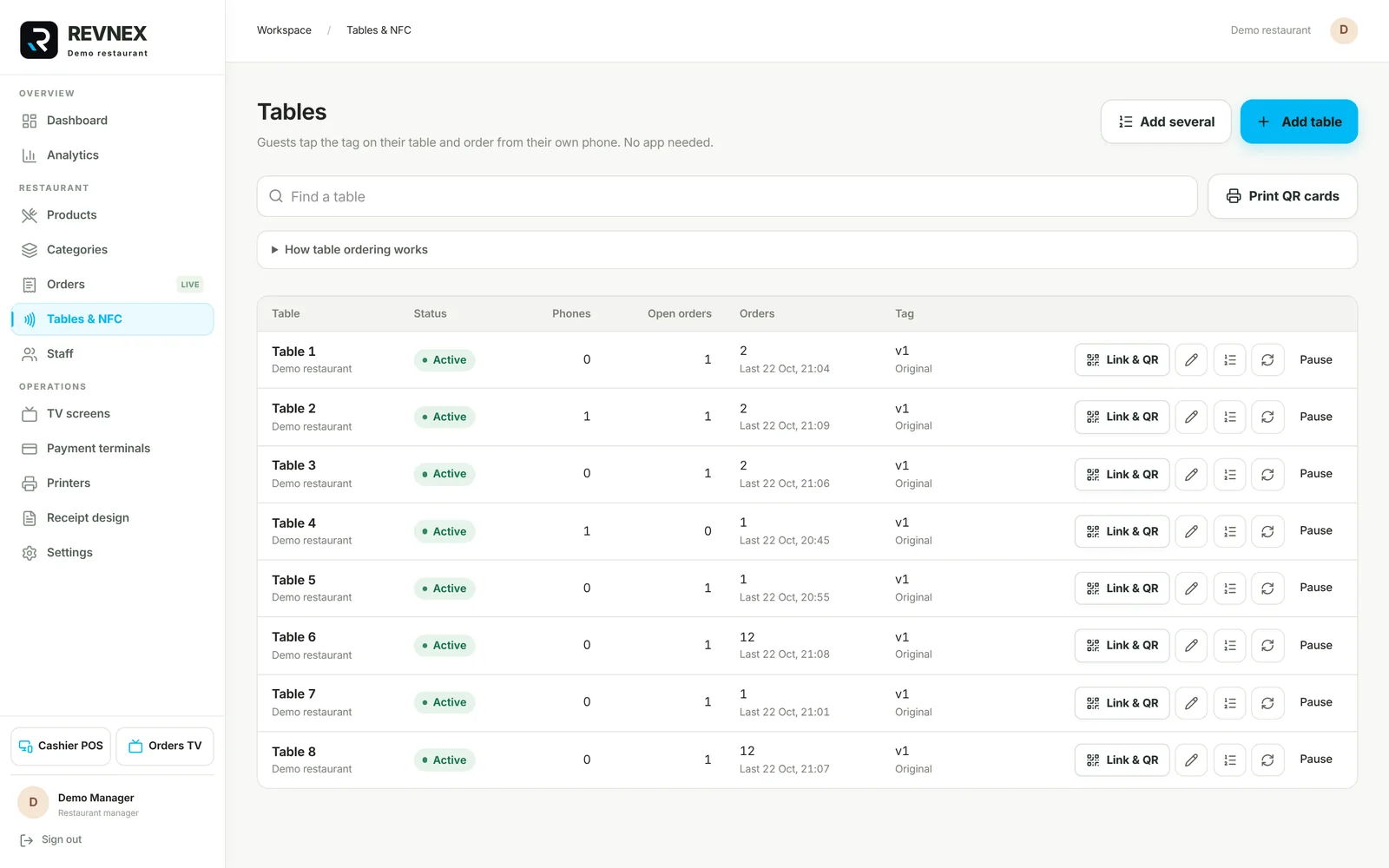
  • Tables with their NFC link and QR card
  • Replace a lost tag in one click
  • Pause ordering on any table
  • Staff accounts with a PIN
  • Brand colours, logo, receipts and printers
Installed in your restaurant

It runs inside your restaurant, not on someone else’s cloud.

We install Revnex on a computer in your restaurant and connect the order TV, the cashier tablet and the ticket printer on your own Wi-Fi. Your menu, your orders and your sales stay with you.
  • One computer runs everythingPhones, TV, POS and printer all talk to it over your Wi-Fi.
  • Fast, even on a busy nightOrders travel a few metres, not across the internet.
  • Your data stays in the restaurantSales, menu and staff accounts are stored on your own machine.
  • We set it up with youTags programmed, tables named, menu entered, staff trained.
Revnex · Tables & NFC
Manager: tables with their NFC links and live phones
Ready when you are

Like what you saw? Let’s set up your restaurant.

Tell us how many tables you have. We prepare the tags, the stands and your menu, and you start taking orders from phones.